
Writing · Archive
How DAX treats nulls and zeros
In DAX there is a special way to identify null or empty values and that's by using a value called "blank". In order to return blank values, we can use the BLANK() function e.g.
10 Percent =
IF ( Winesales[CASES SOLD] > 100, Winesales[CASES SOLD] * 0.1, BLANK () )
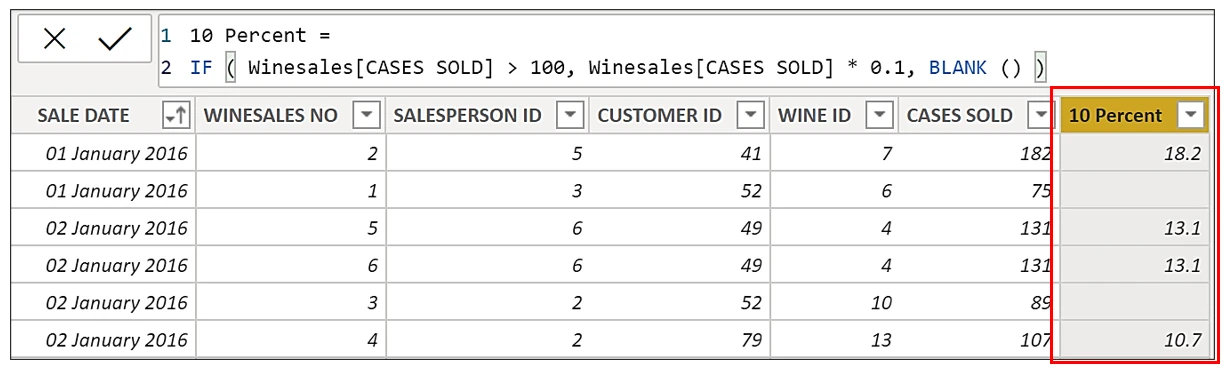
When constructing DAX expressions using IF, if you want to return BLANK() on the "Value if false" argument, you can just close off on the bracket because BLANK() is the default if no value is supplied in the argument. So we could re-write the expression above like this:-
10 Percent =
IF ( Winesales[CASES SOLD] > 100, Winesales[CASES SOLD] * 0.1 )
We can test for null or blank values as in the following expression:-
Blank? =
IF ( Winesales[CASES SOLD] = BLANK(), "Blank", "Other")
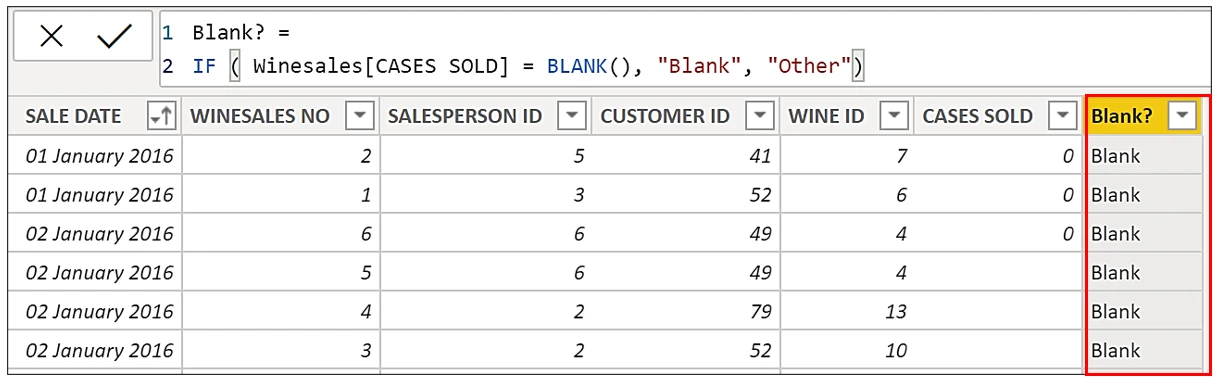
Notice that testing for BLANK() includes 0 (zero) so we never get "Other".
What's surprising however, is that the reverse is true so in the expression below, testing for 0 includes BLANK(), so again we never get "Other":-
Zero? =
IF ( Winesales[CASES SOLD] = 0, "Zero", "Other")
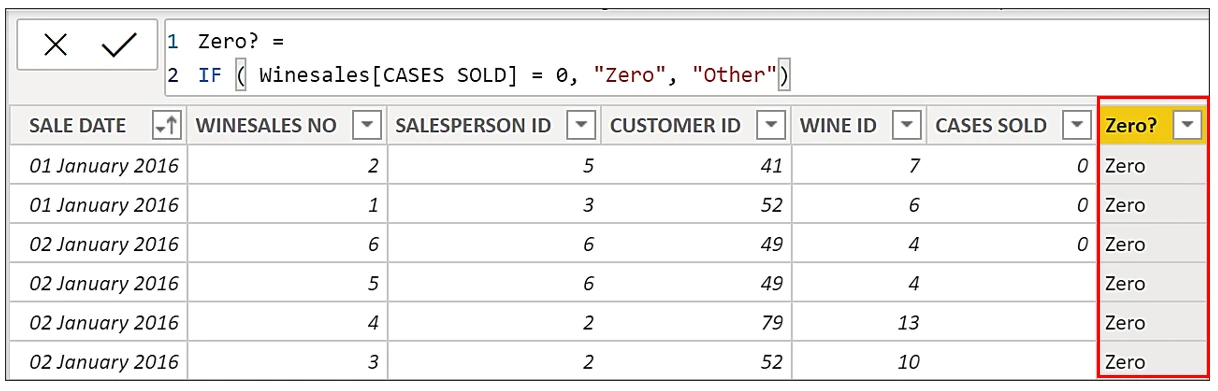
Therefore, we can see that DAX treats BLANK() and 0 (zero) as the same value when used in comparisons, as in the above two examples.
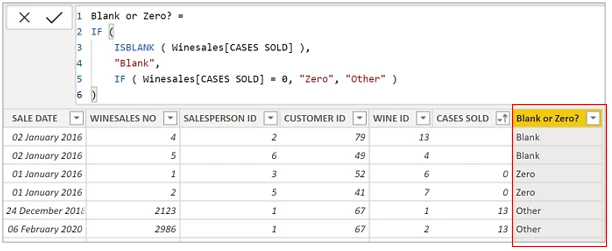
So what if you want to distinguish between 0 and blank? You can use a special function that will "weed out" blanks as compared to 0. That function is ISBLANK() as used in this following expression:-
Blank or Zero? =
IF (
    ISBLANK ( Winesales[CASES SOLD] ),
    "Blank",
    IF ( Winesales[CASES SOLD] = 0, "Zero", "Other" )
)
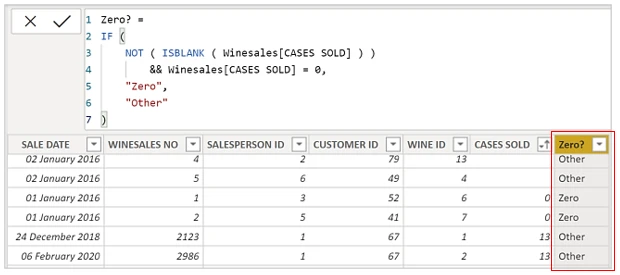
If you want to find just 0, you can use this expression:-
Zero? =
IF (
    NOT ( ISBLANK ( Winesales[CASES SOLD] ) )
        && Winesales[CASES SOLD] = 0,
    "Zero",
    "Other"
)
You can also put the name of a measure inside ISBLANK(). For example, to find out how many customers have no sales, as opposed to 0 (zero) sales, this would be the DAX expression:-
No of Customers with No Sales =
COUNTROWS ( FILTER ( Customers, ISBLANK ( [Total Sales] ) ) )
Whereas this expression would find the number of customers who had either zero sales or no sales:-
No of Customers with Zero or No Sales =
COUNTROWS ( FILTER ( Customers, [Total Sales] = 0 ) )
So just be careful about using the following….. = IF ( [expression] = 0 ) …… because it will include blank values.
Blanks and zeros, and why a filter for zero also picks up blanks, are part of the DAX deep dive. Every course is on Training.